

Interactive spreadsheet training
The customised training has been enhanced with a new, long-awaited feature. Just as with a document’s header data, a table can now also be trained interactively.
To do this, first select the header of a table in the document and right-click to open the context menu. Next, click on the ‘Table Information’ option. A wizard will then open to help you further refine the training. The animation below illustrates this process.
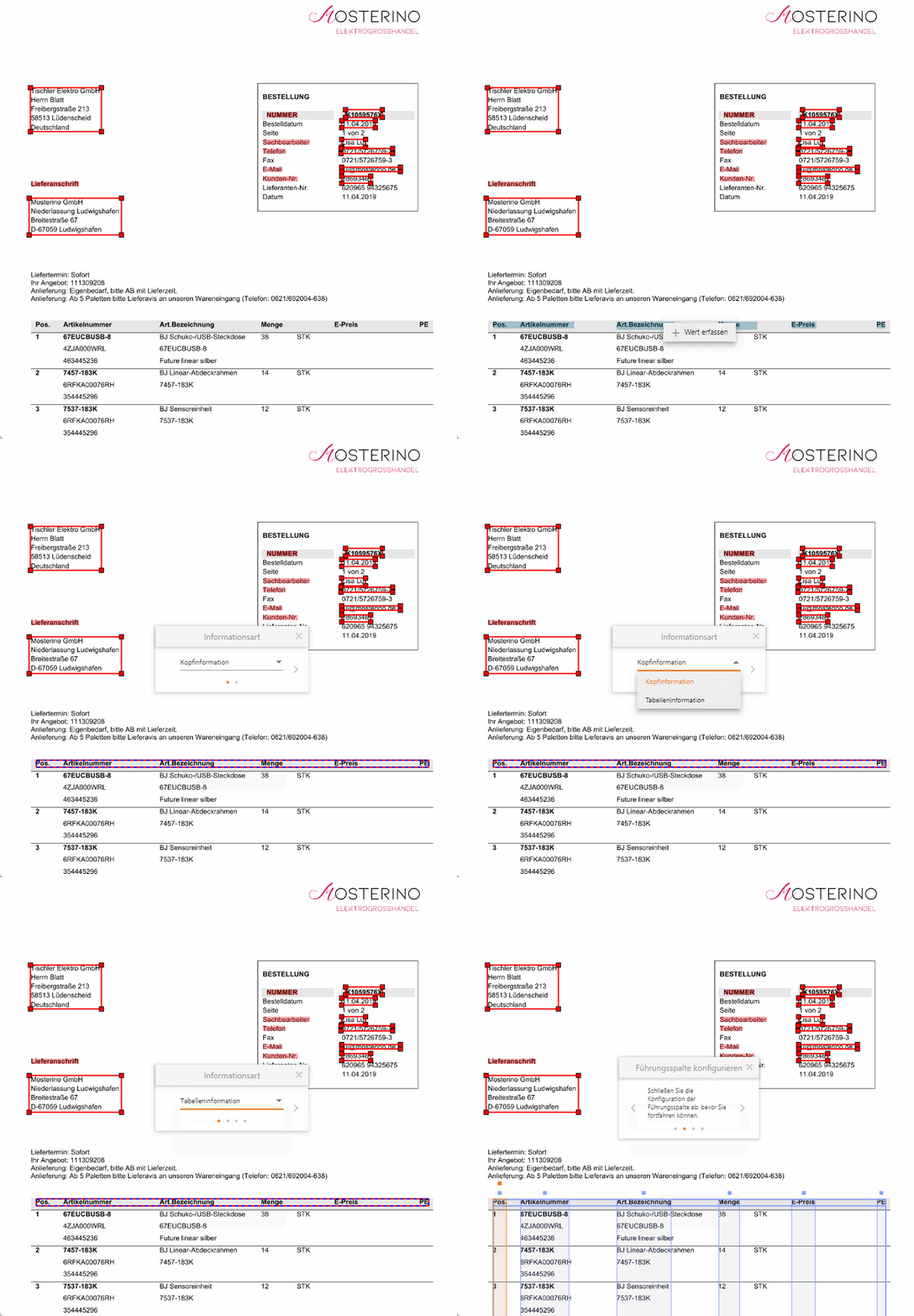
Here’s what happens next:
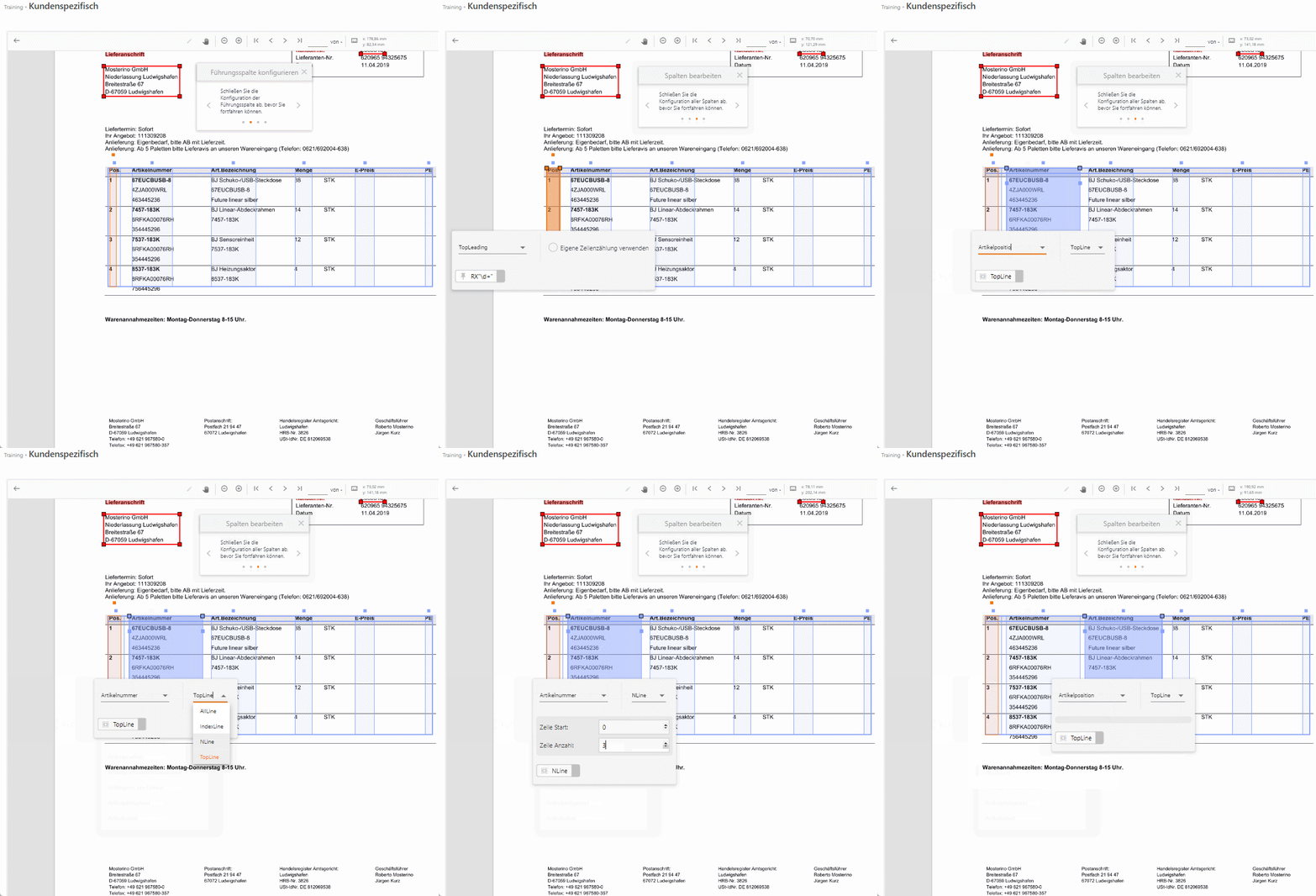
First, the leading column (marked in orange) is identified. The data capture algorithm uses the leading column to determine where table rows begin and end. Furthermore, the system can now determine what type of leading column (top-leading, top-trailing, mid-leading, etc.) is involved. However, if the system’s decision is incorrect, manual intervention is always possible.
The animation below shows how it works.
The final step involves defining the end of a table. This involves specifying the keywords, phrases or sentences that clearly indicate that the table has reached its end (boundaries). This ensures that no information outside the table is recorded in error.
If the document consists of several pages and the table spans several pages, text from the footer can also be used.
This step is illustrated in the animation below.

Once all the steps have been completed, the table description will appear on the right-hand side of the manuscript. The training can now be saved and tested.
The procedure described here is merely an example. When creating and refining the training programme, there are a wide range of possibilities and options, which are demonstrated and explained in the new training videos.
In addition, the training features and interactive options are constantly being expanded, meaning that new features are added on a regular basis.
If you have any questions or feedback about the new feature, please feel free to contact our support team at any time at service@evy-solutions.de or on +49 221 950190-80.
Our team looks forward to explaining more to you or hearing about your user experience.